Loading…
Blog
Modeling mode is a Babylon studio, not Unreal
How Dola Modeling mode turns chat into a live Babylon mesh, inspects named parts, and exports GLB — separate from the Unreal Blueprint and C++ path.
Last updated 19 September 2026
Published 19 September 2026
The bamboo still
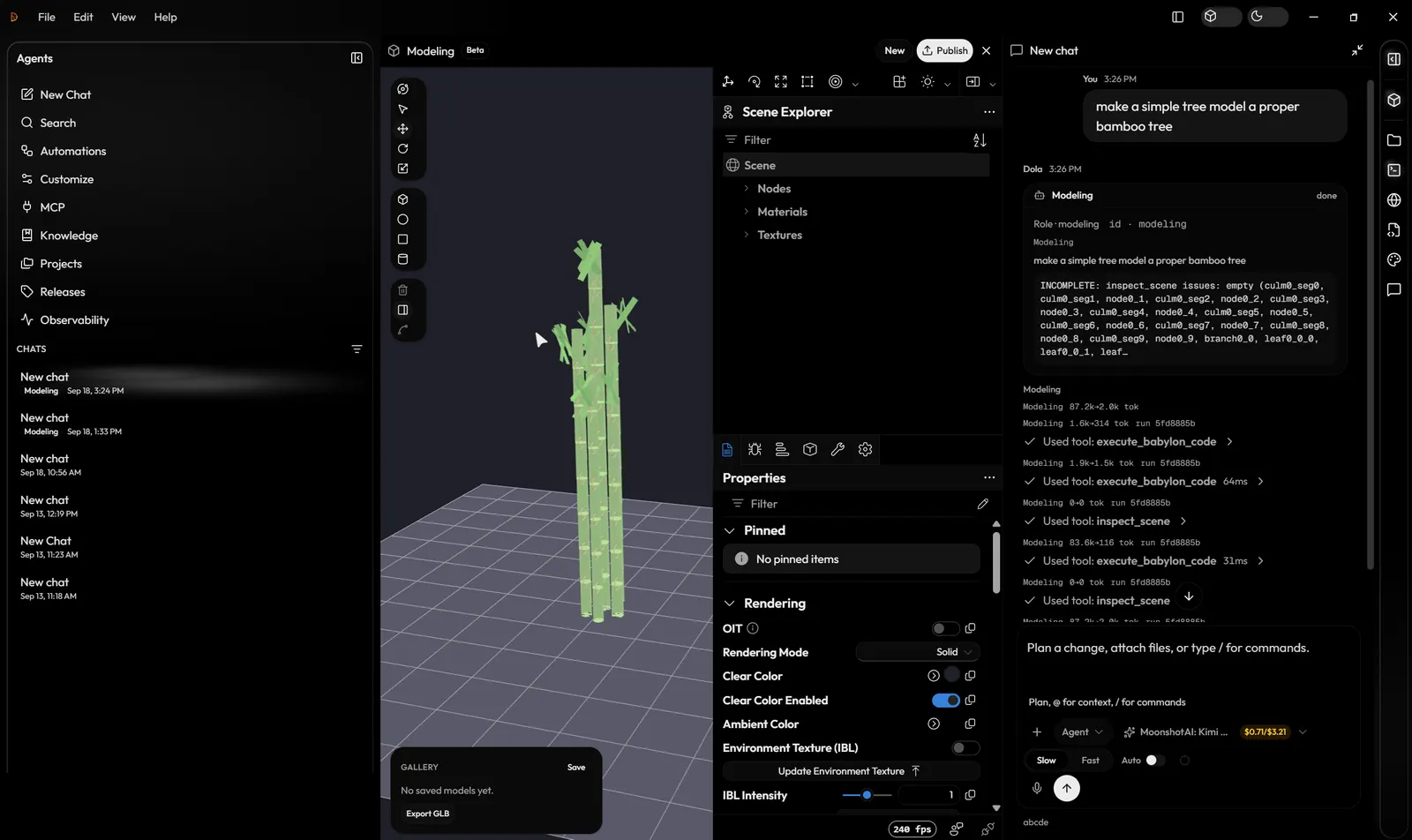
Two products in one desktop window
Homepage work is Unreal: Blueprints and C++ through the Editor plugin. Modeling mode is the other toggle. A modeling specialist writes Babylon JS, inspects the live scene, and exports GLB. Mixing those up is how you get a pretty tree that never appears in the editor.
Guides: Modeling mode · Game-dev vs Modeling · First Blueprint.
Related posts
- Dola AI assistant: chat and agents for Unreal
How Dola’s chat and specialist agents work in Unreal Engine: one chat, with Blueprint, C++, and material specialists that edit your open project.
- What is Dola AI? The Unreal Engine AI assistant
Dola AI is an AI assistant for Unreal Engine: the Dola desktop app plus an Editor plugin for Blueprints and C++. Not related to other apps named Dola.
- Dola app download for Windows, macOS and Linux
How to download the Dola AI desktop app for Windows, macOS, or Linux, install it, sign in, and connect the Unreal Engine 5.7 plugin to your project.
- Claude Code for Unreal Engine vs UE-native AI
What Claude Code does well in an Unreal Engine project, what it cannot reach without an MCP bridge, and how it compares with Dola, a UE-native assistant.
- Dola login: sign in, reset password, fix errors
How to sign in to Dola AI on dolaai.pro and in the desktop app, create an account, reset your password, and fix common Dola login problems.
- Unreal Engine AI: NPC AI vs developer assistants
“Unreal Engine AI” means gameplay NPC AI, Epic Developer Assistant, or third-party editor plugins. Dola is the last one: not Behavior Trees, not Epic’s panel.
- What Dola is for Unreal Engine developers
Dola AI (dolaai.pro) is a local-first Unreal Engine assistant for Blueprints and C++: the Dola desktop app and an Unreal Editor plugin.